
A small Go framework that wraps a program in the look of an old computer: fixed low resolution, a chunky border, the right palette and font. The scaffolding under several of my other projects.
RetroGUI is a building block rather than a finished thing, and it is the more useful for it. It renders a virtual screen with the properties of a particular old machine, driven by a profile in JSON, and scales it up to a modern window. Built on Ebiten.
What it does
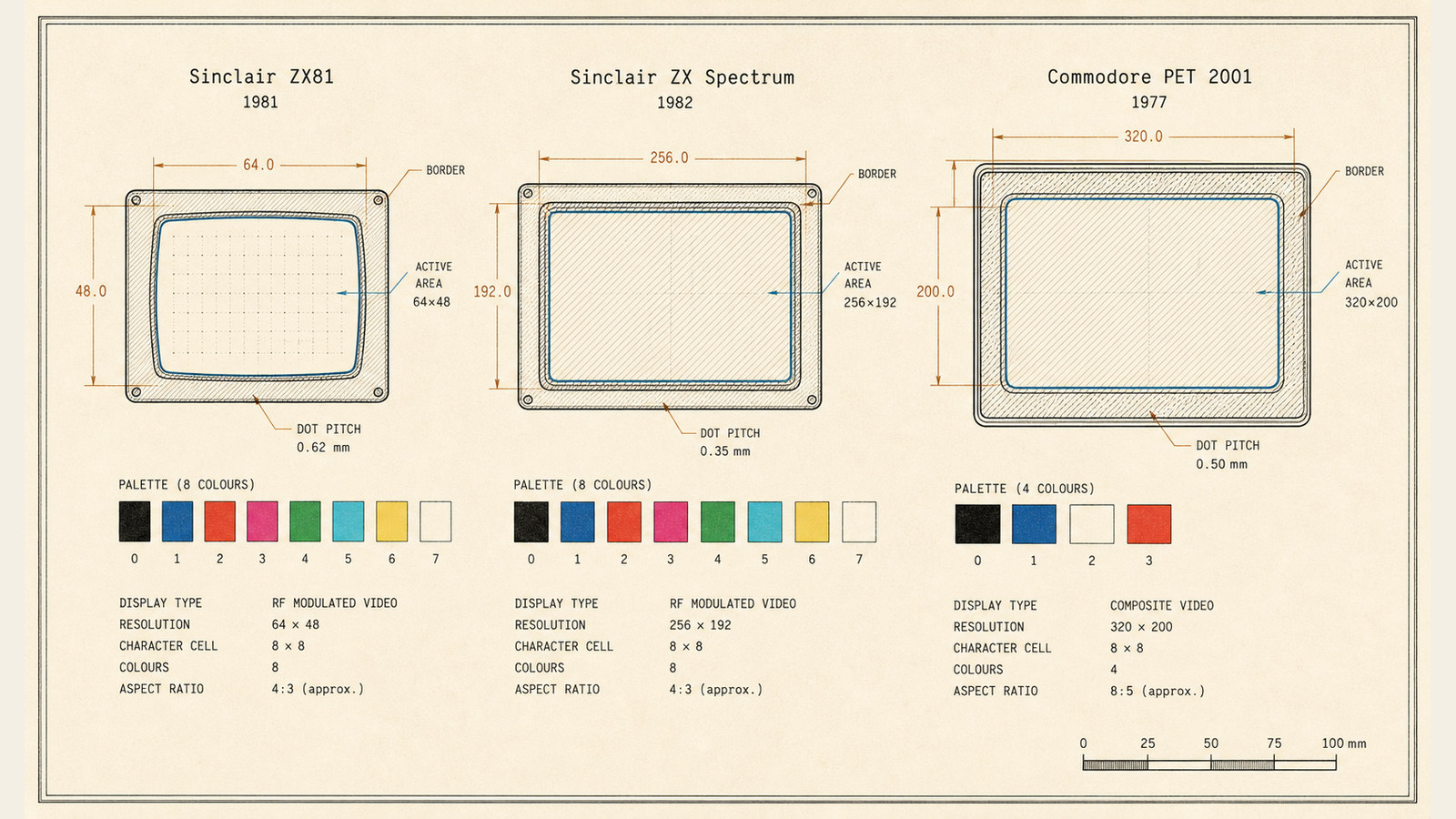
You pick a profile, by command line or from an interactive menu, and it configures the screen: the active resolution, the border colour, the palette, the font, the title. Out of the box there are profiles for the ZX Spectrum and the Commodore PET 2001. A demo cycles text through the palette so you can see a profile working; Escape drops you back to the menu.
The core is a virtual resolution engine. Everything draws to a fixed offscreen buffer, the size the real machine actually had, and is then scaled to the window. That is the trick that keeps the look honest: you are not drawing large and shrinking it, you are drawing at 256x192 and blowing it up, clash and all.
A profile
A profile is just JSON. Here is the Spectrum, trimmed:
ZX Spectrum profile
- Active area: 256 x 192
- Full size with border: 384 x 288
- Border colour: #0000FF
- Font: zx-spectrum.ttf
- Palette: the 15 Spectrum colours, normal and bright
Add a JSON file and a TTF, and you have a new machine. I wrote it so the retro-presentation problem was solved once and could sit underneath whatever I built next, rather than being rebuilt each time.